
You’ve finally done it. After weeks of comparing refresh rates, squinting at local dimming zones, and obsessing over the deep blacks of an OLED versus the blinding brightness of a QLED, you’ve finally picked out the best TV for your needs. It’s sitting in a box in your hallway, a gateway to cinematic glory. But as you look at your living room, a fundamental question arises: where exactly is it going to live?
This is the "Great Entertainment Centre Debate." On one side, you have the traditionalists who swear by the sturdy, reliable TV stand. On the other hand, the minimalists who believe a wall-mounted TV should float elegantly on the wall like a piece of high-tech art. It’s not just an aesthetic choice; it’s a decision that affects your neck health, your room’s flow, and the safety of your expensive new investment.
Why This Decision Matters More Than You Think
It’s easy to treat the tv stand vs wall mount choice as an afterthought, but your installation method shapes your entire viewing experience. A TV mounted too high, such as the common “TV over the fireplace” setup, can lead to neck strain and a degraded picture, especially with panels that have limited vertical viewing angles.
Your choice can also affect the longevity of your gear. High-end 4K TVs are impressive pieces of technology, but they are also fragile. A poorly secured mount or a flimsy, low-quality stand can turn an expensive centrepiece into cracked glass in seconds. By choosing carefully now, you’re not just decorating; you’re improving your home’s ergonomics and protecting your tech.
Option 1: The Classic TV Stand
The TV stand is the old soul of the living room. It’s the furniture-first approach that has served us since the days of heavy cathode-ray tubes. While modern TVs are significantly thinner, the stand remains a dominant choice for its simplicity and multi-functional nature.
The Pros of Using a TV Stand
The most immediate benefit of a TV stand is simplicity. You don't need a stud finder, a power drill, or a prayer that you don't hit a water pipe. You simply assemble the furniture, set the TV on top, and you’re ready for kickoff.
Beyond ease of setup, stands offer built-in storage. Your TV rarely lives alone; it usually brings friends like soundbars, gaming consoles, 4K Blu-ray players, and streaming boxes. A stand provides a natural home for these peripherals, keeping them organised and accessible. Additionally, a stand makes it incredibly easy to access your ports. If you’re the type of person who frequently swaps out HDMI cables or plugs in USB drives, having the TV at arm's reach on a piece of furniture is a godsend.
The Cons of Using a TV Stand
The biggest drawback is the footprint. A TV stand, by definition, occupies floor space. In a smaller apartment or a crowded bedroom, a bulky console can make the room feel cramped.
There’s also the issue of visual clutter. Even the most stylish stand creates a "zone" of furniture that can disrupt a minimalist aesthetic. Perhaps more importantly, stands offer less control over height. Most stands are built to a standard height, which may or may not align with your eye level when seated on your specific sofa. If your couch is particularly low or high, you’re stuck with whatever height the furniture manufacturer decided was "standard."
Option 2: The Modern Wall Mount

Wall mounting is the hallmark of the modern smart home and a sophisticated smart TV home entertainment setup. It’s sleek, it’s intentional, and it provides a level of "wow factor" that furniture rarely achieves.
The Pros of Wall Mounting Your TV
The primary allure of wall mounting is space reclamation. By lifting the TV off the floor, you open up the room. This is a space-saving game-changer for small living areas, allowing you to place smaller decorative items or nothing at all beneath the screen, creating an airy, sophisticated vibe.
Mounting also offers superior viewing angles. With a full-motion (articulating) mount, you can pull the TV out from the wall, tilt it down to avoid glare from windows, or swivel it toward the kitchen so you can follow a recipe while you cook. It allows the TV to adapt to your life, rather than forcing you to sit in one specific "sweet spot" on the couch.
The Cons of Wall Mounting Your TV
The downsides are largely technical and permanent. Installation is a commitment. You are drilling holes into your home's structure. If you live in a rental, this might not even be an option without losing your security deposit.
Then there is the cable nightmare. When a TV is on a stand, wires can easily hide behind the legs or the back of the console. When a TV is mounted, those same black cables dangle down the wall like an eyesore. Solving this requires either plastic cable racers (which can look cheap) or "in-wall" cable management kits, which involve cutting even more holes and navigating the complexities of electrical codes.
Key Factors to Consider Before Deciding
1. Viewing Height and Ergonomics
The most common mistake in home theatre setup is mounting the TV too high. Think about a movie theatre: the best seats are in the middle, where your eyes naturally hit the centre of the screen. At home, the centre of your TV should be at eye level when you are seated.
If you choose a stand, measure your eye height while sitting on your favourite spot on the couch. If you choose a mount, you have the freedom to hit that height perfectly, just resist the urge to mount it like a painting. If you’re looking "up" at the screen, your neck will let you know within twenty minutes.
2. Room Layout and Space Constraints
Look at your floor plan. If your room is a narrow "shotgun" style, a TV stand might block the flow of traffic. In this case, a low-profile wall mount is your best friend. Conversely, if you have a massive open-concept great room, a large, beautiful media console can act as an anchor, defining the "living" area versus the "dining" area.
3. Safety for Children and Pets
This is a non-negotiable for parents and pet owners. Large flat-screen TVs are top-heavy. If a toddler decides to climb a TV stand or a cat zooms behind the screen, the TV can easily tip over. This is a major safety hazard. Wall mounting is the safest option here, as the TV is bolted to the studs. If you must use a stand, you must use anti-tip anchors that bolt the TV and the stand to the wall.
4. Storage Needs for Peripherals and Media
Do you have a PlayStation 5, an Xbox Series X, a Sonos Arc, and a collection of physical discs? If so, you need a stand. While you can mount peripherals behind a TV or on small floating shelves, it often ends up looking messy and can interfere with the wireless signals for your controllers. A stand provides a ventilated, organised environment for your electronics to breathe.
5. Flexibility for Future Upgrades
Are you the type of person who upgrades your TV every three years? If so, a stand is your best friend. Swapping a 55-inch for a 75-inch is as simple as lifting one off and putting the other on. With a wall mount, you may have to move the bracket, patch old holes, and redrill new ones to accommodate the different VESA patterns and weight of the new screen.
Technical Considerations for Different TV Types
OLED TVs: Thin Profiles and Mounting Precision
OLED TVs are impossibly thin, sometimes less than a quarter-inch at the top. This makes them look stunning when flush-mounted to a wall. However, their fragility means you must be extremely careful during installation. There is very little "grip" area on an OLED, and pressing too hard on the panel while hooking it onto a wall bracket can cause damage. If you mount an OLED, use a mount that allows for a "flush" look to take advantage of that thin profile.
QLED and Large-Format 4K TVs: Weight and Support Requirements
While OLEDs are thin, high-end QLEDs and massive 85-inch 4K LED TVs can be surprisingly heavy. Their backlighting systems and heat sinks add significant weight. If you are mounting a large-format TV, you cannot rely on "good enough" anchors. You must secure the mount to the centre of the wooden or metal studs. If you’re using a stand, ensure the furniture is rated for the weight; many "flat-pack" assembly stands have weight limits that an 85-inch beast might exceed.
Installation: Can You Do It Yourself?
Assessing Your Wall Type (Drywall, Brick, or Concrete)
Before you buy a TV mount, knock on your wall.
-
Drywall: Common and easy to work with, but you must find the studs. Never use drywall anchors alone for a TV.
-
Brick/Concrete: Requires a masonry drill bit and specialised anchors (usually included in high-quality mounts). It’s more work, but it offers a rock-solid hold.
-
Plaster: Common in older homes, plaster can crumble when drilled. This often requires a professional touch or a specialised mounting plate.
The Hidden Challenge of Cable Management
The difference between a professional-looking mount and a DIY disaster is the cables. If you aren't comfortable cutting into the wall to run wires, consider a "Power Bridge" kit. This allows you to hide the wires behind the wall without needing to call an electrician. If that sounds too daunting, stick with a stand; the furniture will do the heavy lifting of hiding the "spaghetti" of wires.
The Hybrid Approach: Floor Stands and Console Integration
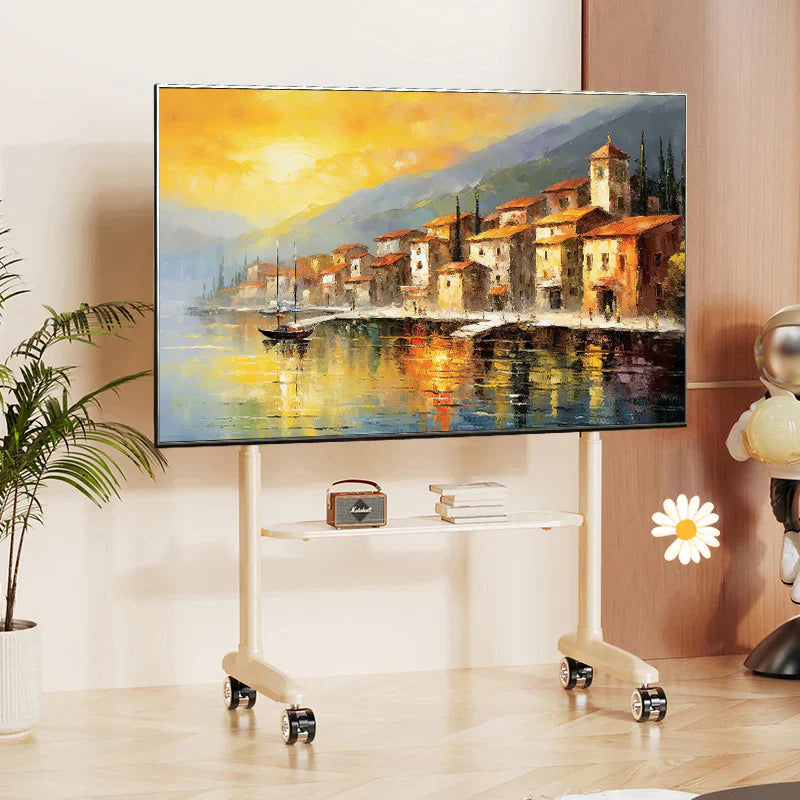
There is a third option that often goes overlooked: the Universal Floor Stand. This is a pedestal that stands on the floor but holds the TV up with a bracket, mimicking the look of a wall mount without the need to drill into the walls. These are perfect for renters or for those who want the "floating" look but have a wall made of material that shouldn't be drilled (like an ornate mirror or delicate wallpaper).
Which One Should You Choose?
Still on the fence? Let’s break it down simply.
Choose a Stand if...
-
You live in a rental and want to keep your security deposit.
-
You have a lot of gaming consoles and physical media.
-
You want the easiest possible setup.
-
You frequently move your furniture around.
-
You value easy access to HDMI ports and cables.
Choose a Mount if...
-
You want a clean, minimalist, "art-gallery" look.
-
You have small children or "zoomie-prone" pets.
-
You have a small room where every square foot of floor space counts.
-
You want the flexibility to swivel or tilt the screen for different seating positions.
-
You want the TV at a very specific, ergonomic height that stands don't provide.
Final Thoughts: Creating Your Perfect Viewing Experience
Whether you choose the sturdy reliability of a stand or the sleek elevation of a wall mount, remember that the goal is the same: to create a space where you can lose yourself in your favourite stories.
Take the time to measure your space, consider your daily habits, and be honest about your DIY skills. There is no wrong answer, only the answer that makes your Friday night movie marathon more comfortable and your living room more "you." Once the TV is securely in place and the cables are hidden, grab the popcorn, you’ve earned it.
Still deciding between a tv stand vs wall mount setup? Explore reliable TV wall mounting solutions and screen accessories at Screen Mounts Australia to create a safer, cleaner and more comfortable viewing experience.
Share:
How to Choose a TV Wall Mount: Buyer’s Guide
Single or Dual Monitor Arm: Which Setup Wins for Your Desk?